
Performance by product
Compare revenue, conversion, recovery, abandonment, and average order value across products observed in tracked orders and carts.
Compare sales, recovery, and abandonment by product and understand the reasons customers share in eligible conversations.
See how it works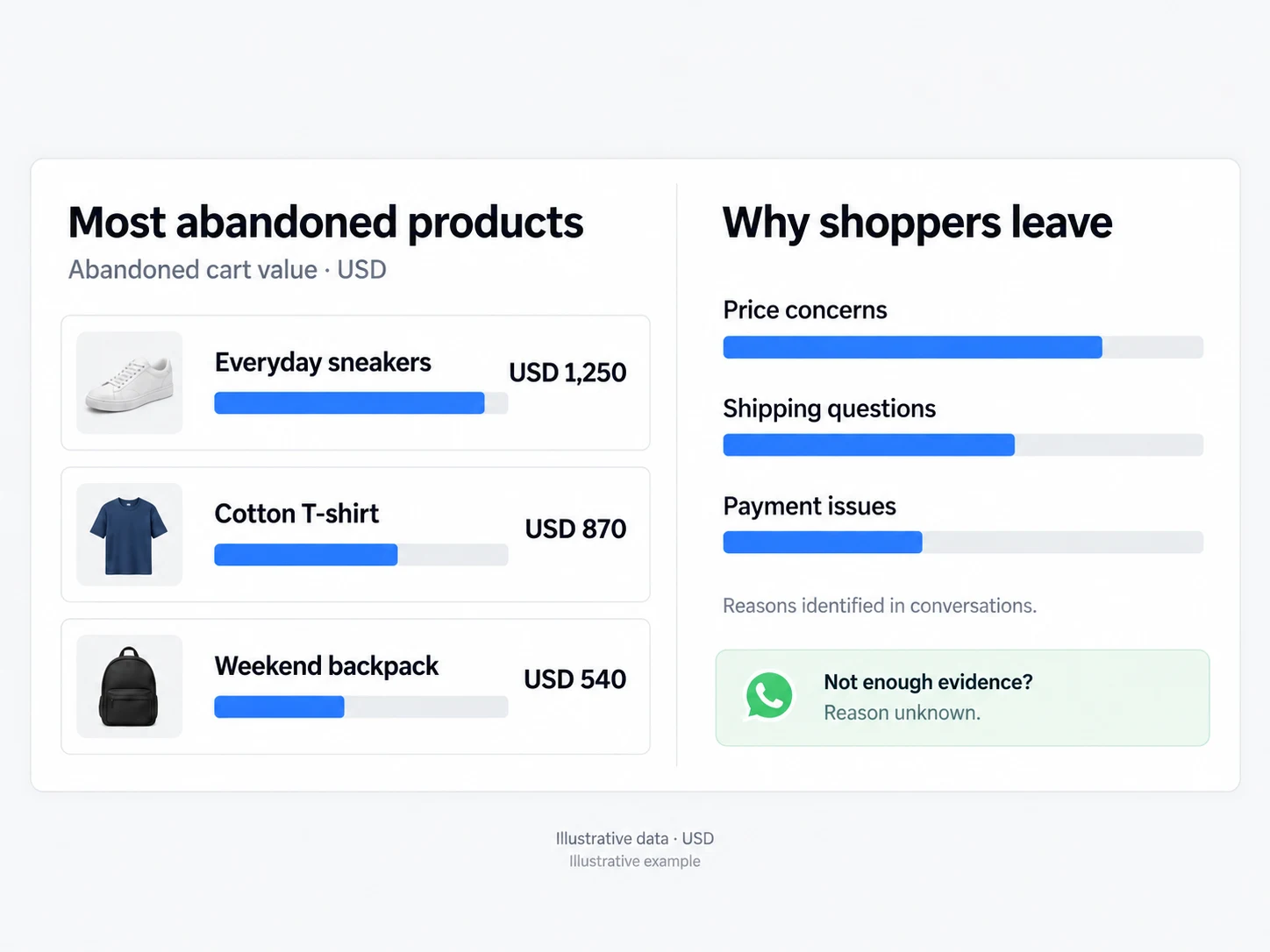
Compare revenue, conversion, recovery, abandonment, and average order value across products observed in tracked orders and carts.
When a customer replies in an eligible recovery conversation, AI classifies the reason among the available categories. Without a reply that supports the classification, the reason remains unknown.
Use recovery, win-back, pricing, or trend recommendations to open the campaign builder with filters already filled in.
The product view compares items observed in tracked orders and carts. You can identify which ones accumulate the most abandonment, abandoned value, or downward trend, then open the details to review sales, recovery, and average order value for the period. Products without tracked history do not appear yet, keeping the analysis tied to available data.
When a customer replies in an eligible recovery, AI can classify the reason for abandonment among the available categories. Without a sufficient reply, the reason remains unknown. From a product or opportunity, you can take behavior, reason, or RFM filters to the campaign builder and review the audience before sending.
Compare volume and lost value to choose where to investigate the journey or prepare an action.
Use reasons supported by eligible replies to build an audience, while keeping cases without evidence as unknown.
Start with a product and take inactive RFM segments to the campaign builder for review.
Set the dates to compare sales, losses, and recovery within the same window.
Open a product or suggested action and review the metrics and audience behind the opportunity.
Take product, behavior, or segment filters to the campaign tool and review the audience before sending.
The table includes products observed in orders and carts tracked by Infynia. Items without this history do not appear until data is available.
In the product view, it includes customers who abandoned and purchased within seven days of contact. Other screens may use a customer-level view, so the totals may not be identical.
AI analyzes customer replies in eligible recovery conversations and selects an available category. When the conversation does not provide enough information, the reason remains unknown.
More repeat purchase opportunities with a defined audience, an approved message, and visible results.
Explore solutionEvery recovery attempt stays linked to the cart, conversation, and recorded outcome.
Explore solutionConnect every stage of your customer journey with WhatsApp, data, and artificial intelligence.